Every section file has a schema. This is where developers can define the settings that you can see in the theme customizer sidebar.
每一个区块文件都有一个schema纲要。这些纲要文件让我们开发者可以自行设置一些内容,这些内容会出现在左侧边栏的页面编辑器里面。
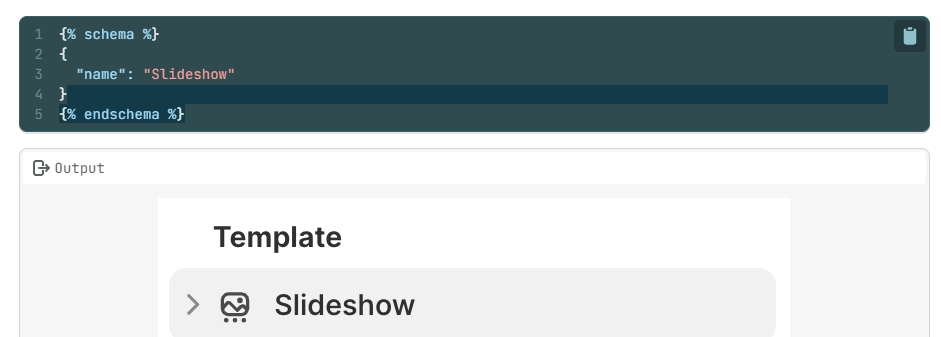
The schema is placed at the bottom of the section file, in between {% schema %} and{% endschema %} tags.
schema纲要位于区块文件的底部的{% schema %} 和{% endschema %} 标签之间.
It’s written in the JSON format. Which is the same as your .json template files.
区块纲要是以JSON格式写成的,和模板文件里的.json是一样的。
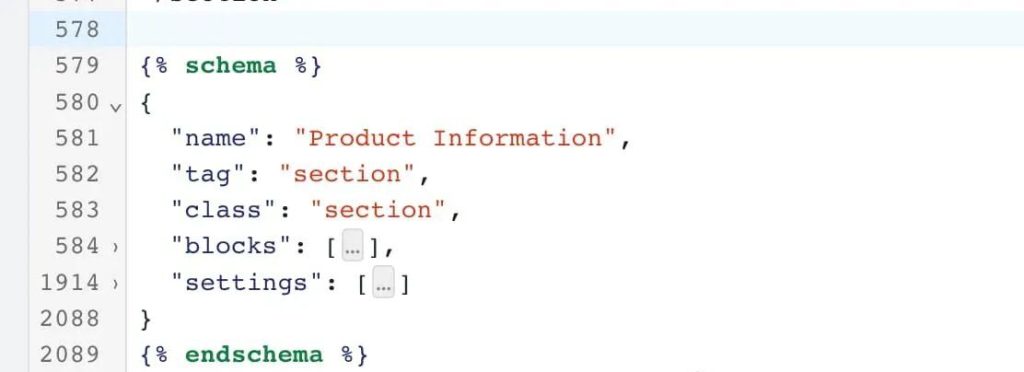
Here is the schema inside main-product.liquid. I’ve minimized the blocks and settings objects here using the dropdown arrow, but it’s actually quite a long chunk of code (you can see the line numbers).
下面是main-product.liquid.里面的区块纲要。为了让大家看的更清晰,我折叠起来了很多行代码(从行数里面可以看出来)。
Schema is also how blocks are created.
纲要也是创建模块是必须的。
Inside the Section schema, we can create an array called “blocks”: [ ] and inside this we put all the block types, and the settings for each block.
在区块纲要里面,我们可以创建称之为“blocks: [ ] ”数组。在里面我们定义模块的类型和对模块的设置。
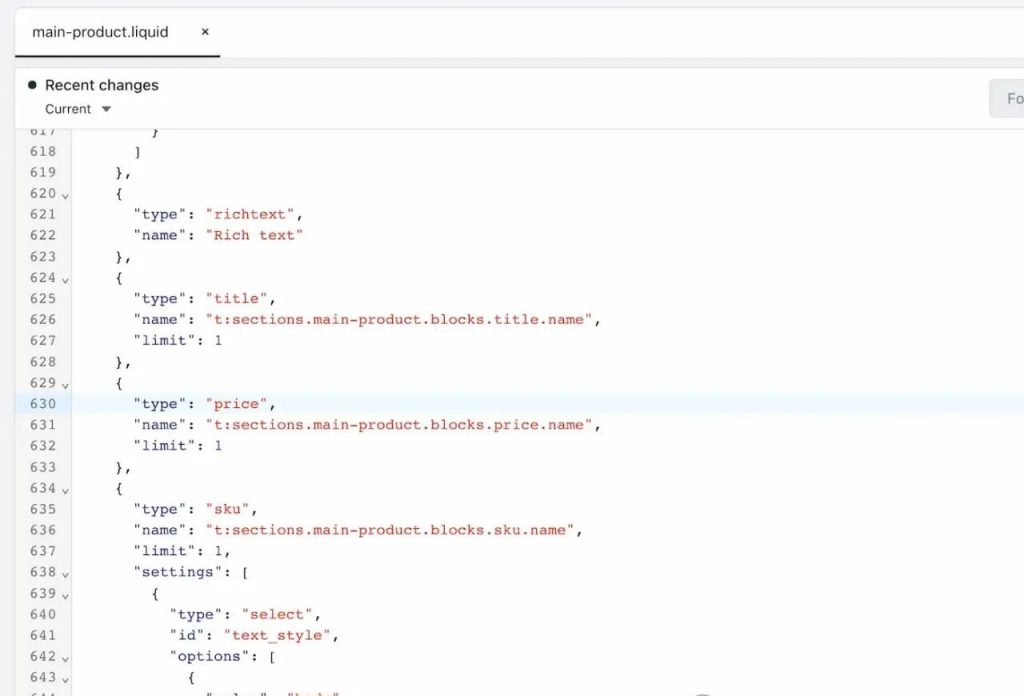
Inside the blocks [ ] array we can see some of our block types listed.
在这个模块的数组里面,我们可以看到很多列出来的模块类型。
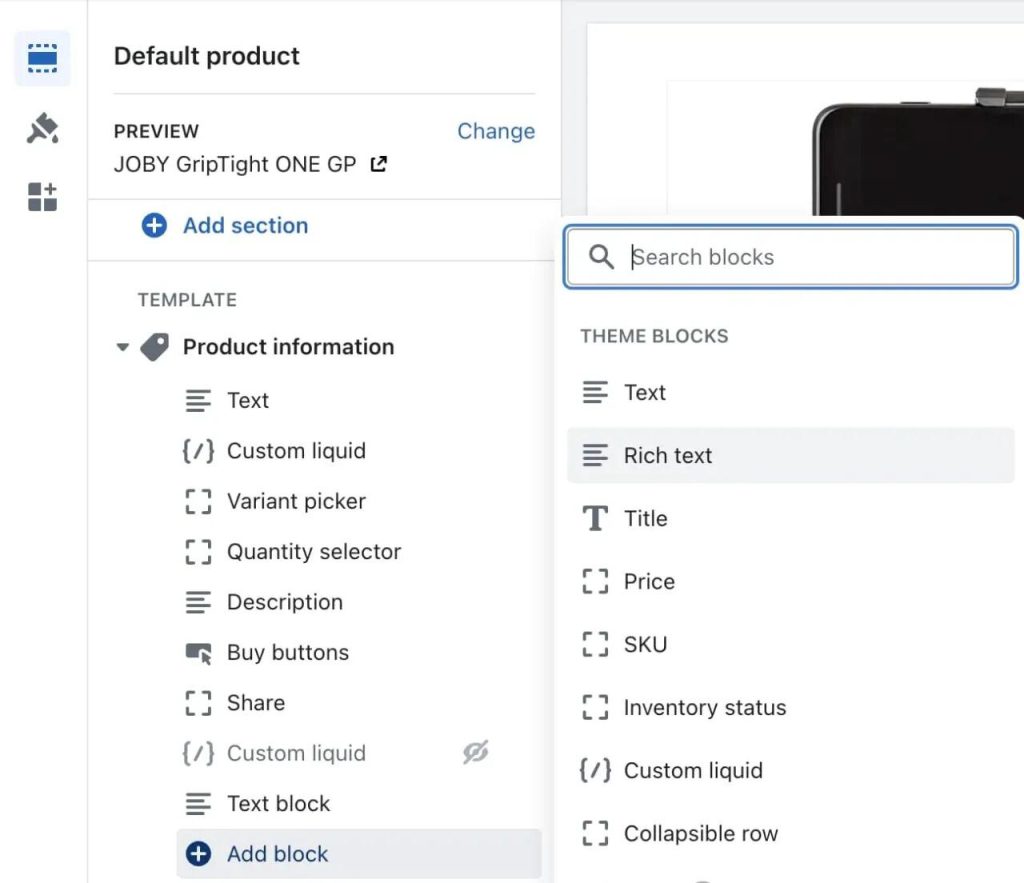
And below you see how they appear in the available blocks in the Product information section.
与上面的代码相对应的,我们可以看下图中主题编辑器里的内容。
They are in the same order – Rich text, Title, Price, SKU…
他们的顺序也是一致的,例如富文本、标题、价格、SKU等…
When you add one of these blocks to the page, this is recorded in the template json file.
当我们在主题编辑器里面添加模块的时候,模板的json文件里面就会有记录。
E.g. here on the product page you would see the block id would be added in product.json, under the product information section.
例如在产品页面,我们可以看到在产品信息区块的底部,模块ID被添加到了product.json里面。
🐱🏍Exercise: Identify block types & settings
练习:找到模块类型及相应的设置
- Visit a section file that has blocks such as main-product.liquid and scroll to the schema.
浏览含有模块的区块文件,例如main-product.liquid,之后鼠标滚动到纲要位置。 - In another tab open up your theme customizer to a page using that section.
在浏览器另一个TAB里打开主题编辑器。 - Try to find the schema code for each block. Some will have settings and some won’t.
尝试找到任意一个模块的纲要,有些有设置,有的没有。
Have a look through the settings for your blocks, and for the entire section. Notice that they each have a type, id, and name and sometimes default content.
浏览整个区块里面模块的设置。我们可以注意到它们都有自己的类型、ID、名称。有时候还会有一些默认内容。
🎁资源:
- https://shopify.dev/docs/storefronts/themes/architecture/sections/section-schema
- 2.https://shopify.dev/docs/storefronts/themes/architecture/settings/input-settings





