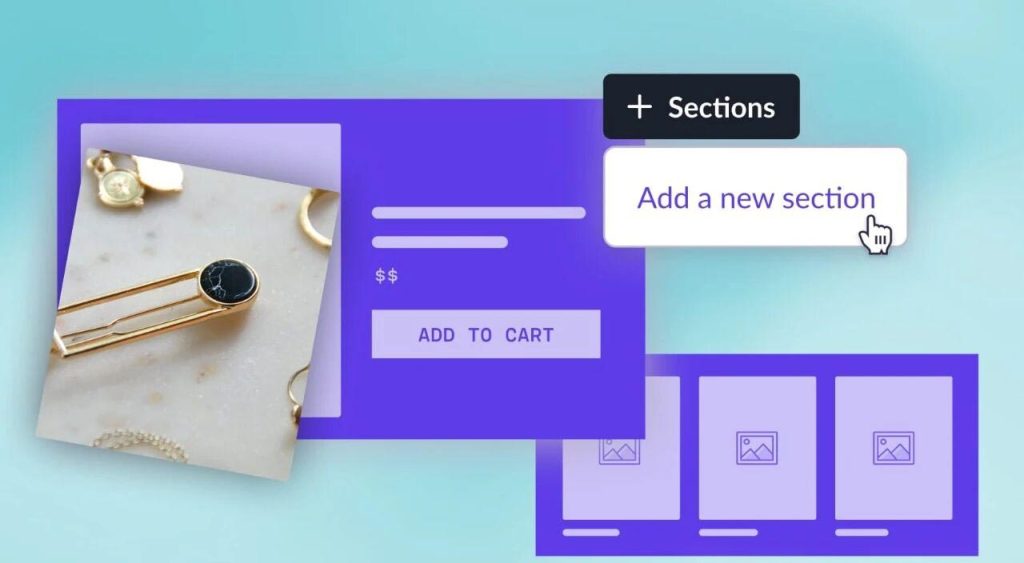
The sections folder is where all your sections are kept.
Sections文件夹是保存区块的地方。
Each section is usually just one file. The file is usually (but not always) named exactly the same as the section name you see in the theme customizer. E.g. announcement-bar.liquid, multicolumn.liquid, image-with-text.liquid and so on.
每一个区块都是一个单独的文件。几乎所有(偶有例外)区块文件的命名都与主题编辑器里的一样。例如announcement-bar.liquid, multicolumn.liquid, image-with-text.liquid
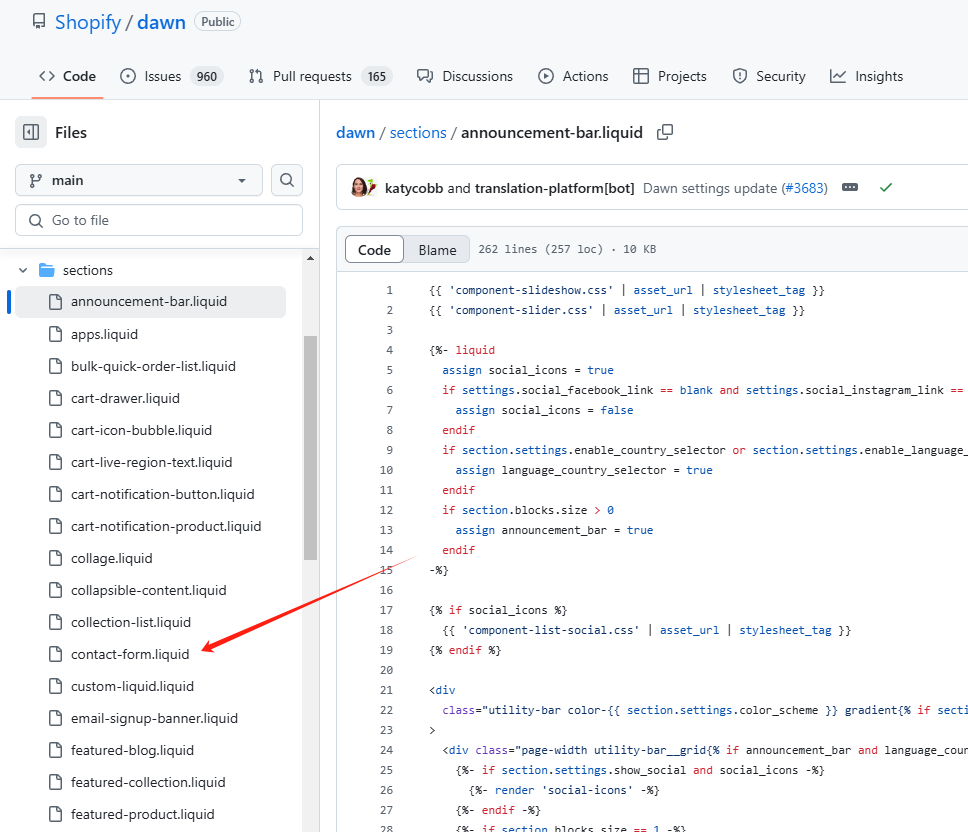
These section files are the HTML and Liquid for the section. In other words, the structure and content.
区块文件是由HTML和Liquid组成的,换言之,是由骨架和内容组成的。
There is also often an accompanying CSS file in the Assets folder.
区块文件往往也会引用资源文件夹里的CSS文件。
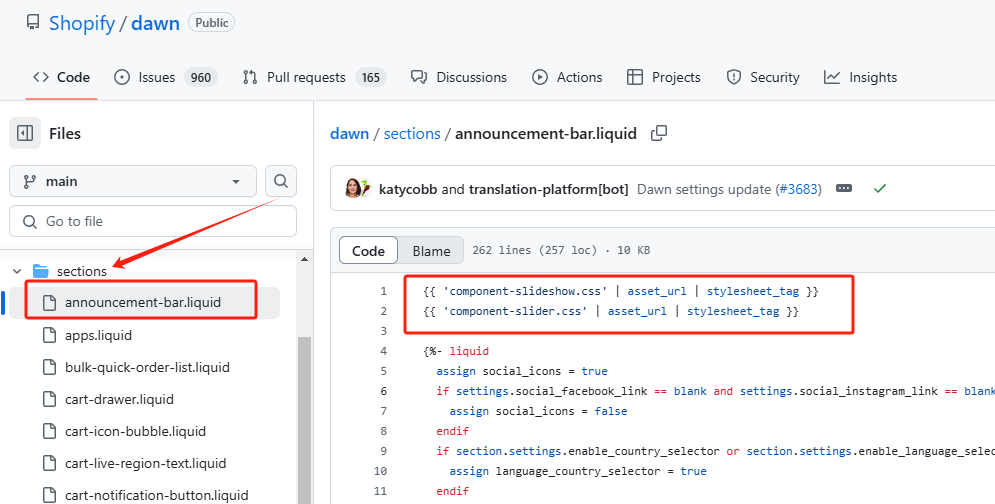
Example: Every theme has a “Rich text” section. In Dawn theme the file is called rich-text.liquid.
例如:每一个主题都有一个“富文本”区块。在Dawn主题里叫做rich-text.liquid
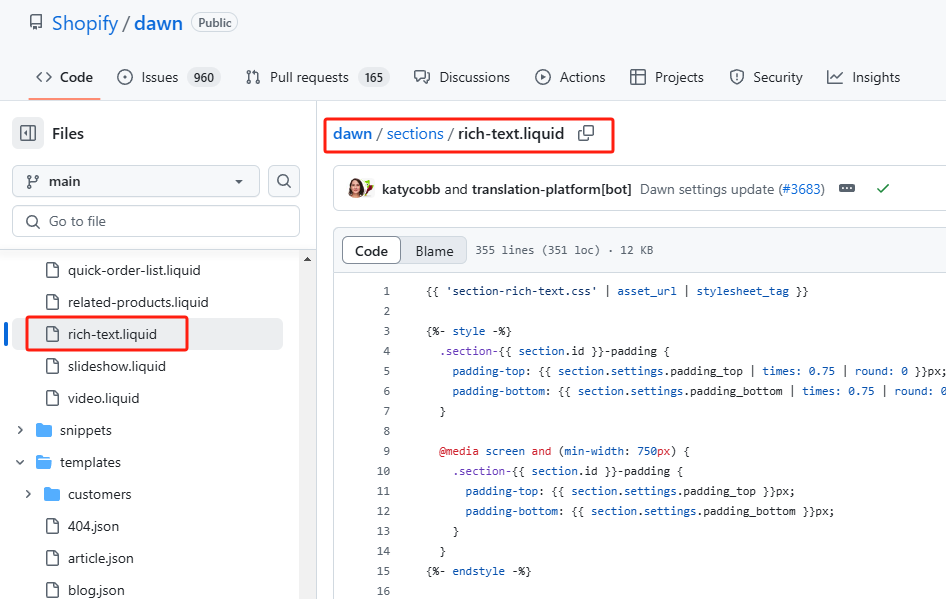
The CSS for this section is contained in a file called section-rich-text.css, in the Assets folder.
我们可以看到图中代码部分第一行的section-rich-text.css就引用自资源文件夹。
📕Exercise: Identify your section files
练习:认识区块文件
1.Open up your sections folder, and your theme customizer in different tabs.
用浏览器不同标签打开区块文件夹和主题编辑器。
2. Go through your list of sections in the theme customizer, and try to identify which section is controlled by which file. They will often (but not always) be named exactly the same.
在主题编辑器里面浏览区块列表并且试着确认区块和文件的对应关系。可以看到它们往往命名一致,当然也有很少的例外。
3. If you can’t figure it out, open up the file and read some of the code. View the section on your website and use the Chrome Inspector to view the section code. See if you can find a match.
如果你没有找到对应关系,那么用谷歌浏览器打开网站并审查元素来查看对应的代码,看看能不能找到它们的对应关系。
⚠️ Sections vs Blocks
区块和模块
People often confuse these. They follow a tutorial for a section but want to use it as a product page block, or vice-versa.
人们往往把这两者混淆。有时候我们会把模块当成区块使用,反之亦然。
Let’s clear this up right now:
下面我们把这两个概念捋清楚:
- Sections usually take up the entire page-width. You cannot place a section next to another section. You can only drag them around to re-order them.区块 往往占据一个整页的宽度。我们不能把一个区块放置到紧邻的另一个区块的左边或者右边。我们只能把一个区块放到另一个的上面或者下面。
- Sections are usually a separate .liquid file区块是一个单独的.liquid 文件。
- Sections can have blocks inside them.模块常常位于区块内部。
Now let’s do blocks:
下面我们来说一下模块:
- Blocks go inside sections, you can drag them around inside of the section. You can’t drag them outside of the parent section.模块位于区块里面,我们可以在区块里面拖动这些模块。当然我们不能把模块拖拽出它所在的区块。
- Blocks usually do not have their own .liquid file. They are defined in the parent section’s Schema.模块往往没有自己的.liquid文件。它们在母区块的Schema里被定义。
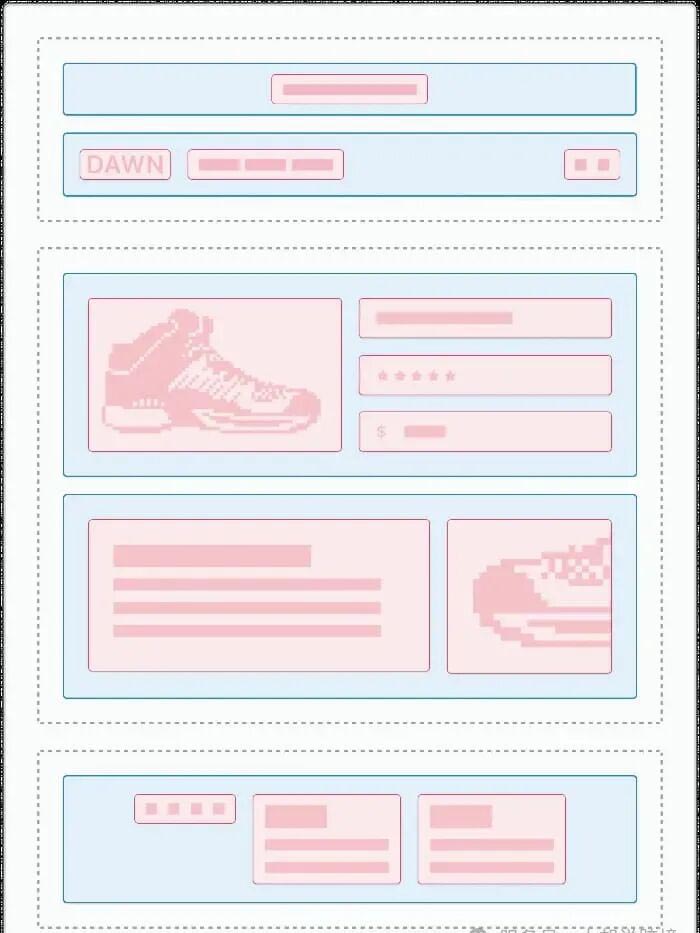
我们从下图可以看出来 蓝色背景的是区块,红色背景的是模块