Above I explained how Schema works inside Section files. But you also have global theme settings available in your Shopify Theme Customizer.
在上面的章节里,我们讲到了区块文件夹里的Schema摘要是如何工作的。与此对应的是我们也可以再Shopify主题编辑器里面对主题进行全局设置。
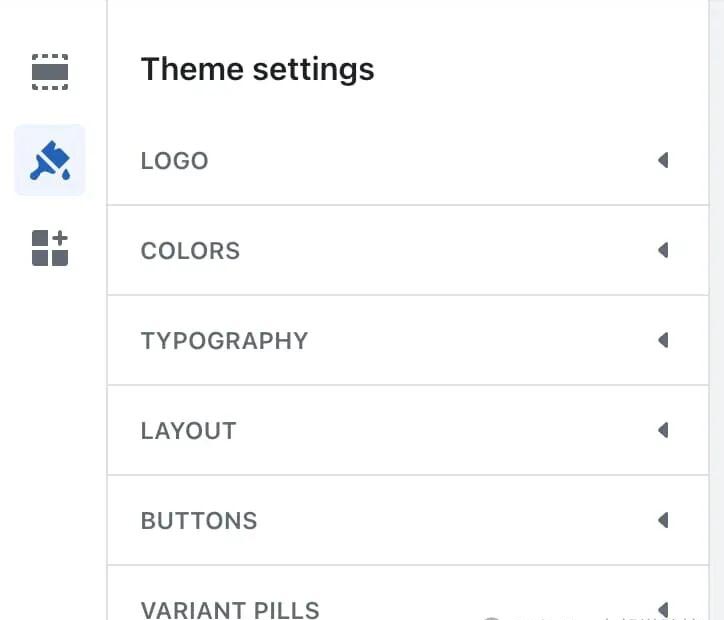
This is the most far-left sidebar, when you click on the paintbrush and you can see settings relating to the entire theme – usually starting with Logo, Colors, and Typography.
如上图所示,主题设置就在位于shopify管理员后台最左边的主题编辑器里面。当我们点击小刷子的时候,我们就可以对主题进行全局设置–例如网站logo、颜色和字体等。
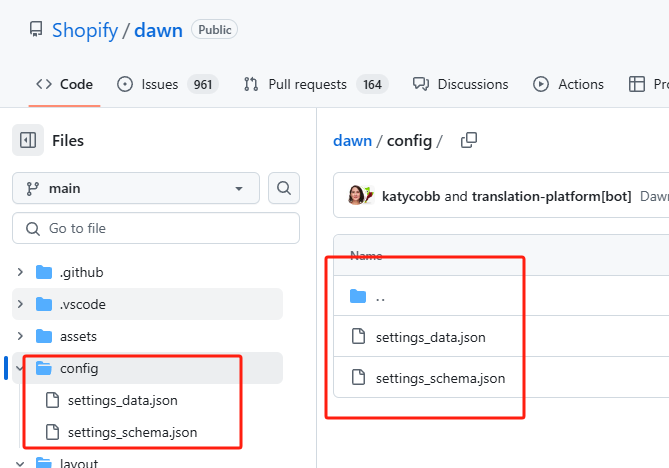
- settings_schema.json is the file that contains the schema for these global settings. It works the same way as the schema in section files.
- settings_schema.json 这个文件包含了主题的全局设置。它的工作原理和区块文件夹里的schema摘要是一样的。
- settings_data.json is where the global theme settings are recorded. This is the the equivalent of how sections and blocks are recorded in the product.json and othe template files.
When you want to migrate all your global settings to a duplicate of your theme, you can copy & paste the settings_data.json.
·settings_data.json 是存储主题全局设置的地方。例如product.json或者其它模板文件在区块、模块里面的设置都存储在settings_data.json里面。
当我们需要迁移我们网站主题全局设置的时候,我们就可以复制黏贴settings_data.json文件。





