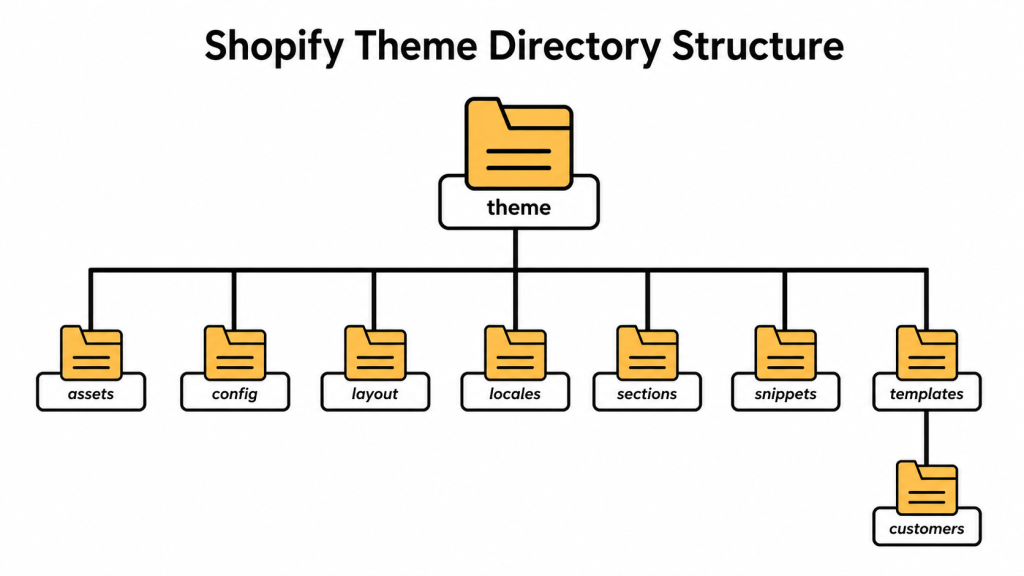
First I’m going to teach you about the Shopify theme structure.
下面我们来学习Shopify主题的结构。
In the next chapter I will show you the best places to modify or add your own code.
在接下来的章节里面我会给大家演示如何正确的修改并添加自己的代码到现有的主题里面。
We will be looking at Dawn theme as it is built by Shopify and a perfect example of the typical Shopify 2.0 theme structure, as intended by Shopify.
我们会以shopify的官方主题Dawn为例给大家演示讲解,因为Dawn主题是典型的shoify 2.0主题。
2.1 Theme.liquid
2.1 Theme.Liquid文件
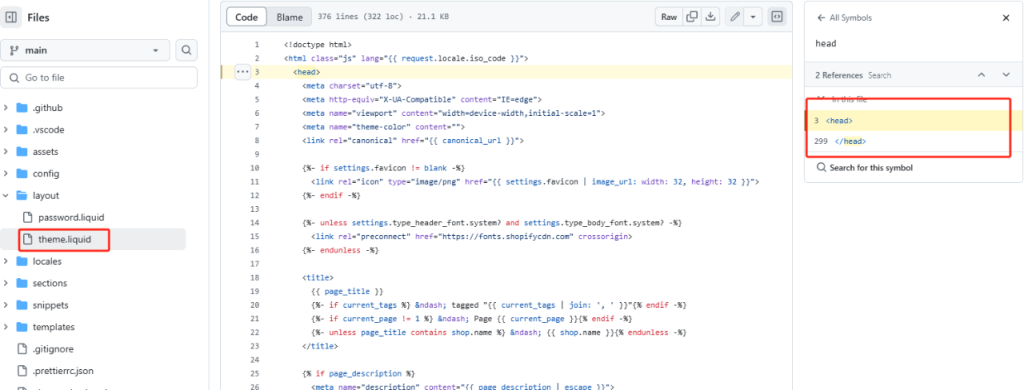
This is your main (and usually your only) layout file. This contains the entire rest of your site.
这个文件是我们的主要(往往是唯一)的,它位于Layout文件夹里。这个文件贯穿于我们整个网站。
It’s where the HTML document is defined with <html>, <head> , and <body> tags.
在这个文件里我们可以找到 <html>、<head> 和 <body>这样的HTML 标签。
The <head> is where all the assets, scripts, and stylesheets are linked.
<head> 标签里面包含assets(资源), scripts(脚本), and stylesheets(样式表)
注:从上面的图中我们可以看出来,从第3行开始到299行都是<head>标签里的内容,因此我们一些代码,例如谷歌分析、facebook像素都都是安装在这里的。
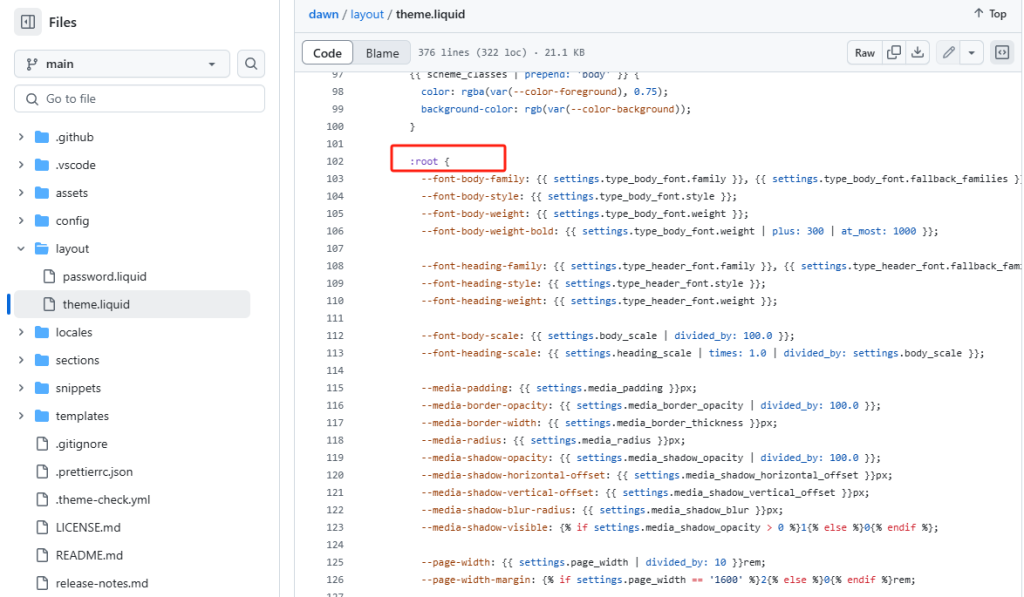
Scrolling down, you will often see a bunch of global CSS variables defined using :root .
往下滑动,我们可以看到很多网站CSS全局的设置,以 :root开头。
All other parts of your store are pulled into this file.
我们网站的很多其它的部分也在这个文件里面。
You will usually see at least these 3 main parts:
我们可以看到至少三个网站的主要部分:
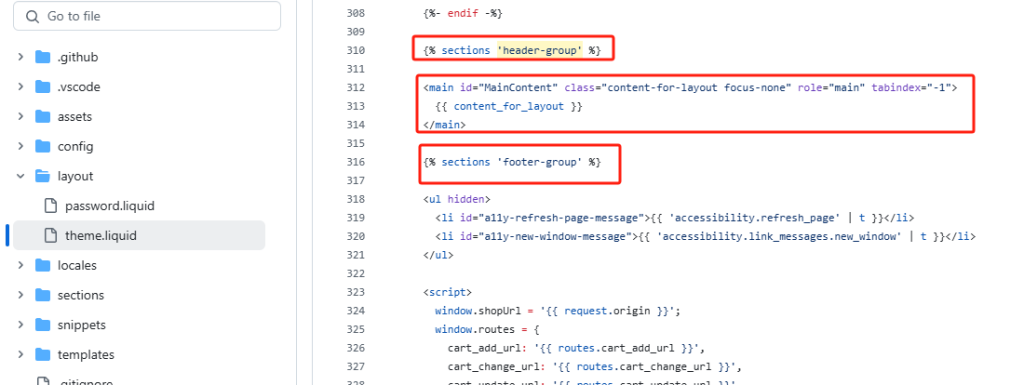
- The header section as either
header.liquidor{% sections 'header-group' %} 头部区块:用header.liquid 或者 {% sections 'header-group' %}显示{{ content_for_layout }}in the middle, which renders your template{{ content_for_layout }} 位于中间位置,用于渲染我们的模板。- The footer section as either
footer.liquidor{% sections 'footer-group' %} 底部区块:用footer.liquid 或者 {% sections 'footer-group' %}显示。
content_for_layout
{{ content_for_layout }} is the main body content. It outputs (renders) the template file for whatever page you are viewing.
content_for_layout
{{ content_for_layout }} 是主要的body部分。我所有流量的页面都是由它渲染/输出模板文件来生成的。
E.g. if you are on a product page, then product.json will be loaded in theme.liquid to create your page. If you are viewing a collection, then collection.json is being used.
例如:如果我们在浏览产品页面,product.json这个文件将加载到theme.liquid里面生成这个产品页面。如果我们正在浏览产品分类页面,那么collection.json将会被加载并渲染生成产品分类页面。
Alternative templates e.g. product.shoes.json will be used if you created them in the theme customizer and assigned them in the product admin page.
进一步举例说明:当我们用主题编辑器来编辑产品admin页面的时候,product.shoes.json将会被用到。





