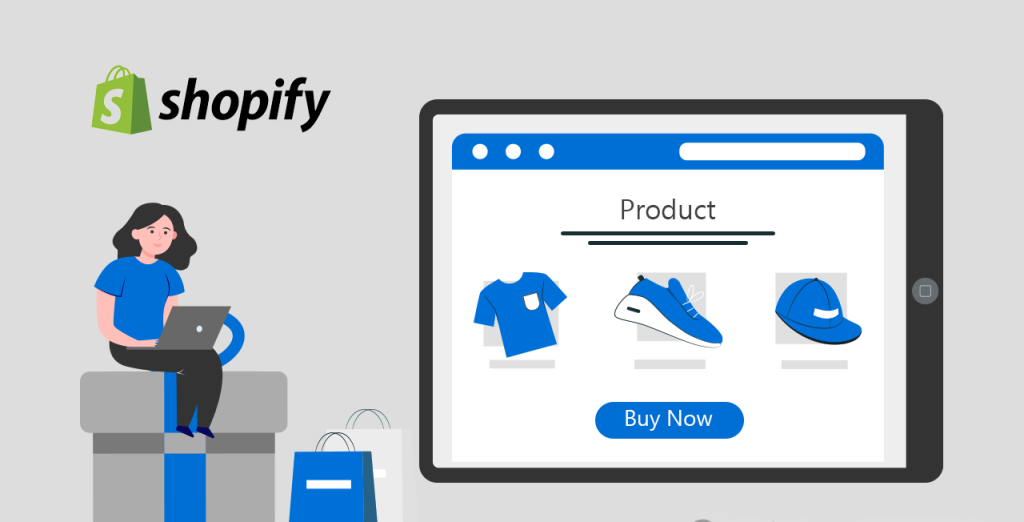
The template is everything you see on your website besides the header and footer.
模板是我们在网站上除了头部和底部以外看到的所有的网站内容。
The template a customer is seeing changes depending on which URL they are on.
访客在浏览网站不同页面的时候,他们看到的内容也在不停的变动。
For example, if they are looking at the home page they are seeing index.json, and if they’re looking at a product it’s usually product.json.
比如访客在浏览网站首页的时候,Shopify就会把index.json这个文件加载到theme.liquid里面生成首页,如果访客浏览的是产品页面,那么product.json就会加载到theme.liquid里面生成产品页面。
Here are some common templates and the pages they are responsible for:
下面是模板所对应的页面:
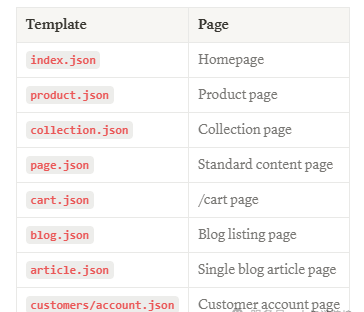
index.json
Homepage –首页
product.json
Product page–产品页面
collection.json
Collection page–分类页面
page.json
Standard content page–标准页面模板
cart.json
/cart page–购物车页面
blog.json
Blog listing page–博客列表页面
article.json
Single blog article page–单篇文章页面
customers/account.json
Customer account page–客户会员页面
*Note: In vintage Shopify themes (pre 2.0) they will be .liquid rather than .json.
*注:在Shopify 2.0之前,这些页面都是.liquid文件。
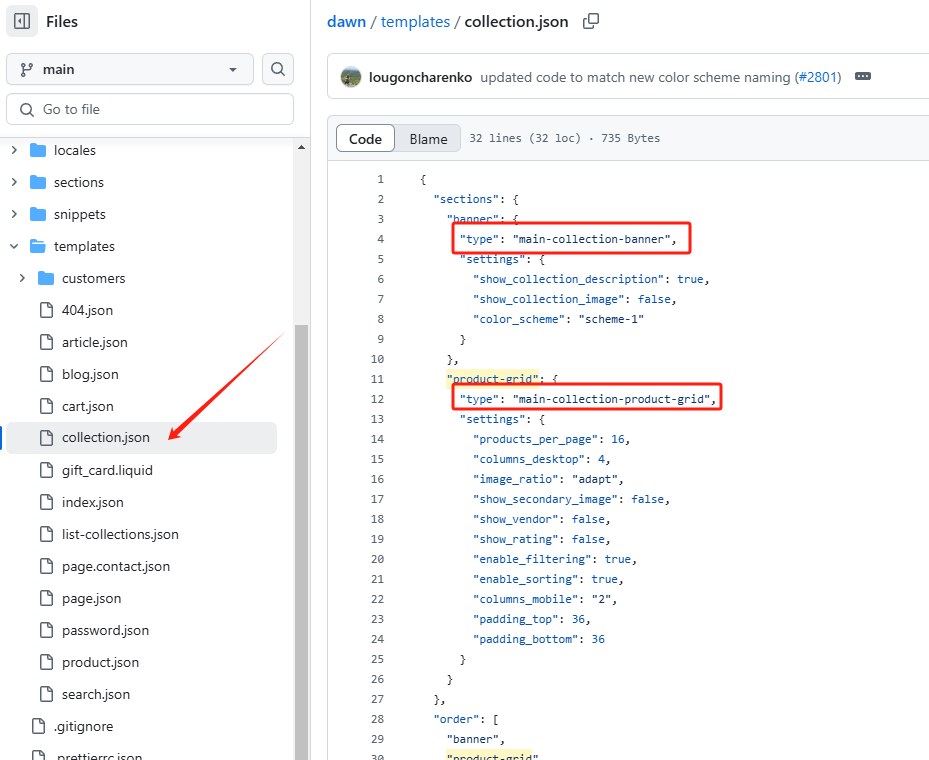
If we look inside any of these template files, we can see which section files are being used on the page.
如果我们打开这些模板文件,我们会看到在相应的页面上有哪些区块被使用。
For example, in collection.json we can see the sections it’s using: main-collection-banner.liquid ****and main-collection-product-grid.liquid.
例如:打开collection.json,我们可以看到这个模板文件用到了两个区块main-collection-banner.liquid和main-collection-product-grid.liquid
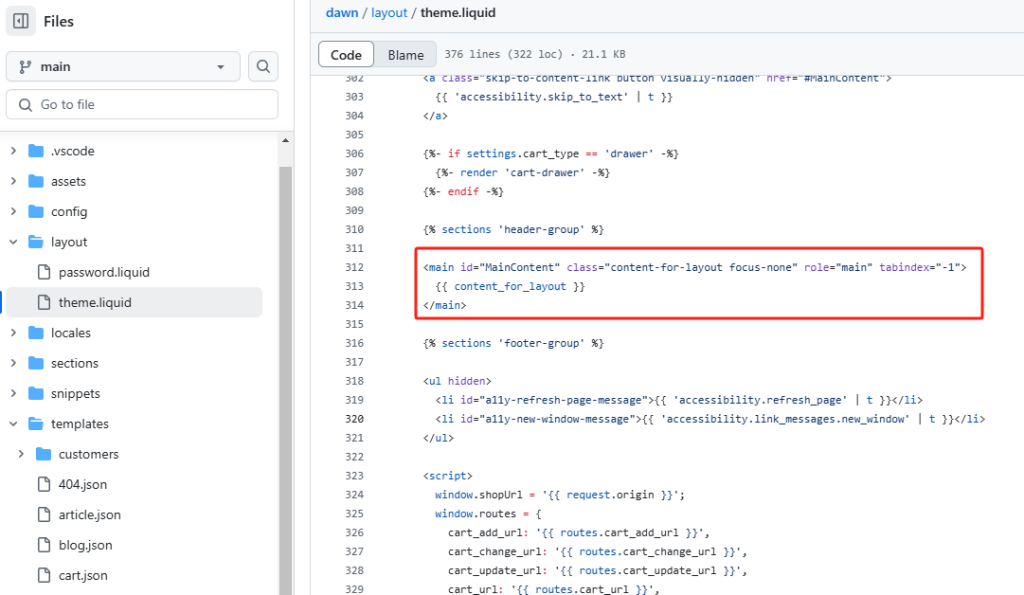
The template sections are output in your theme.liquid in the place where you see {{ content_for_layout }} .
模板区块部分会在theme.liquid文件的{{ content_for_layout }}部分输出。
In Shopify 2.0, you wouldn’t normally ever touch the code in these JSON template files. Instead, you add sections to the template via the theme customizer, no code needed.
在Shopify2.0里面我们不需要改动代码,只需要在主题编辑器里就可以实现增加区块的功能。
The only time I go into the templates folder is to delete a template when I’ve created too many alternative product templates.
我经常使用模板文件夹是因为我需要经常删除一些不用的产品模板。





