
.liquid files allow us to mix Liquid code anywhere in our HTML, like this:
.liquid文件让我们可以在HTML的任何位置加入Liquid代码。如下所示:
<p>Get it now for just {{ product.price }}!</p>
<p>立即获得产品 {{ product.price }}!</p>
注:{{ product.price }}是产品的价格,这是shopify规定的,类似于短代码。
In other words, Liquid provides the content and logic to allow for differences on each product. In this case a different price.
换言之,Liquid为每个产品提供了可变的不同的内容和逻辑。上述案例就是提供了产品的不同价格。
Shopify processes all our .liquid files, puts in the actual values (the price, the title, description etc…), and outputs a simple, static HTML page.
Shopify会处理我们所有的.liquid文件,shopify输入实际的值(价格、标题、描述等),之后输出一个简单的静态的HTML页面。
💡 Terminology: “Hardcoded” vs “Dynamic”
术语:“死代码”和“动态代码”
In the above example, the part that says “Get it now for just” is hardcoded. It doesn’t change, it’s just built into the code. Whereas the price is dynamic, it’s different for every product. **
在上述案例中,“立即获得产品 ”就是死代码。这种代码不会变化,是在编码中写好的。然而“{{ product.price }}”代表的是产品的价格,这个是变化的,每个产品都不一样。
There are two types of liquid:
Shopify有两种liquid:
1. Objects {{ }} 对象{{ }}
Liquid can output data from the Shopify admin. Liquid objects represent variables that you can use to build your theme. We use double curly braces for this.
Liquid可以从shopify管理端获取数据。Liquid 对象让我们在创建主题的时候输出变量。我们用双大括号表示对象。
This would output the product title for the product you are viewing:
我们可以用下面的代码输出产品标题:
<h1>{{ product.title }}</h1>
In this case, the “object” is product. We can access various information about the product by using the dot followed by the property.
在上述案例中,对象是产品。我们可以输出很多关于产品的变量信息。这部分叫 property(属性),位于符号“.”后面。上面案例中.title 输出的就是产品的标题。
{{ product.price }} 输出产品价格
{{ product.description }} 输出产品描述
{{ product.featured_image }} 输出产品主图
These are all various fields that you filled out in the product admin page.
以上就是我们在从产品管理后台发布产品的时候,还有很多需要填写的不同的字段对应的对象。
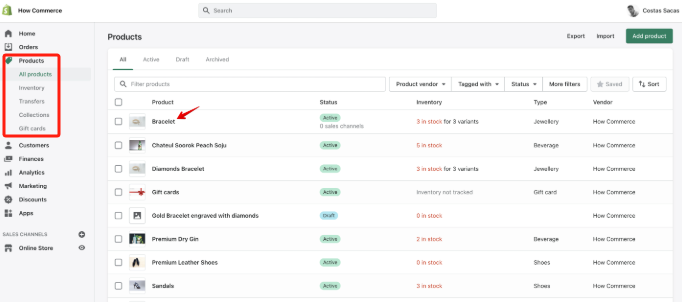
关于shopify对象我们需要进一步学习的资源:
https://shopify.dev/docs/api/liquid/objects
https://www.shopify.com/partners/shopify-cheat-sheet
🏃Exercise: Try some different properties Visit the product page in your theme customizer, add a custom liquid block, and try outputting some different product properties listed above.
练习:练习不同的属性(properties ),在主题编辑器里面找到产品页面,增加一些自定义liquid区块,并且尝试看能不能输出上面表格中列出的产品属性(properties)。
2. Logic {% %} 逻辑 {% %}
Liquid can also do simple logic, like an “if” statement:
Liquid可以处理简单的逻辑,例如“if” 语句。
{% if product.title == 'Awesome Shoes' %}

  <p>These shoes are awesome!</p>

{% endif %}
An if statement is the most common kind of Liquid logic you would use, especially as an amateur coder.
作为一个业余程序员,if语句是最常用到的Liquid逻辑。
Another common one is a “for loop”:
另外一个常用的是“for循环”
{% for product in collection.products %}

{{ product.title }}

{% endfor %}
This would output a product title for every product in this collection.
这个for循环会为在这个collection(产品分类)的产品输出一个产品标题。
3.⚠️ Whitespace Control 空格控制方法
Often you will see Liquid tags that have hyphens in them like this {%- product.title -%} .
很多时候我们会在Liquid标签里面看到一些连字符,如下所示:{%- product.title -%} 。
This is just to make sure there aren’t any spaces or newlines being output in the resulting HTML.
这是为了确保我们在输出HTML的时候没有空格也不会换行。
This isn’t very important, it’s very rare for extra whitespace in HTML to cause problems.
这并不非常重要,因为很少出现有空格就会对输出正确的HTML带来问题的情况。
So often you will see me use the more simple {% %} in my examples throughout this book.
在我写的这本书里面,你会看到我经常使用更为简单的{% %}作为案例。
It’s just easier to type. Don’t get confused – they both do the same thing.
因为这非常利于敲出来。因此不要被迷惑了–这两种写法的功能一样。





