There are many CSS properties and many possible values but these are the ones you will commonly see.
虽然CSS有非常多的属性和数值,但是我们用到的一般就那些。
Skim down this list, but don’t worry about remembering it all. When you have a need to do a particular thing, you will usually Google for the exact syntax.
下面我们列出了一些常用属性,我们不必强求一定要记住他们。遇到不明白的我们可以随时查询谷歌。
Besides, many autocompletion tools will suggest properties for you. You can try this in the Shopify custom CSS panel.
除此之外,很多工具都可以自动化帮我们填充CSS属性。我们可以在shopify自定义CSS板块尝试一下自动填充功能。
| Property 属性 | Example values数值 (common uses) | What it does 功能 |
| color | blue red #ccc #c1c1c1 | Text color 文本颜色 |
| background-color | blue red #ccc #c1c1c1 | Background color of a block-level element 块级元素的背景颜色 |
| font-family | Times ‘Times’ | The font 字体 |
| font-size | 18px 150% 2em 2rem | The font size in px or ems/rems 用px or ems/rems表示的字体 |
| font-style | italic normal | italic or normal 斜体或者是正常字体 |
| font-weight | bold light 300 400 700 | bold, and specific weights 字体加粗或是特殊的字重 |
| text-transform | uppercase lowercase capitalize | Changes the case 改变字体大小写 |
| text-align | left center right | Aligns the text. You can also use it to center align any children of the element. 文字对齐。我们也可以用它对齐任意元素的子元素。 |
| line-height | 150% | The vertical space between lines of text in an element 每行的垂直距离。 |
| width | 1200px 80% | Width of an element. 元素的宽度 |
| max-width | 1200px 100% | Get no bigger than this . Often used in combination with width, and set to max-width: 100%; i.e. no bigger than the page or parent element. 经常与width一起使用,意思是最大宽度 |
| min-width | 200px | Get no smaller than this size. 最小宽度 |
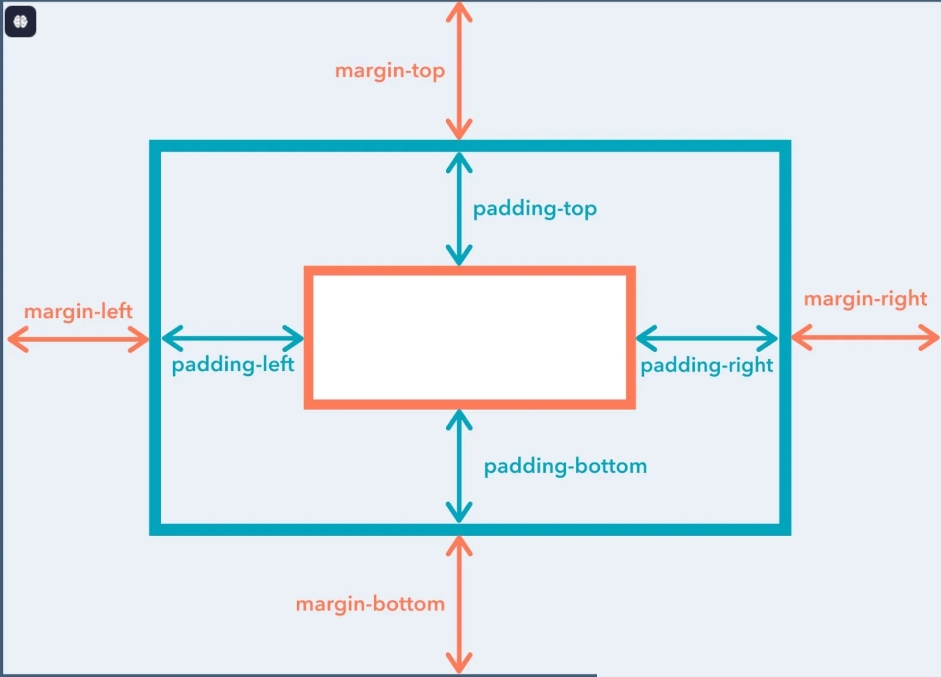
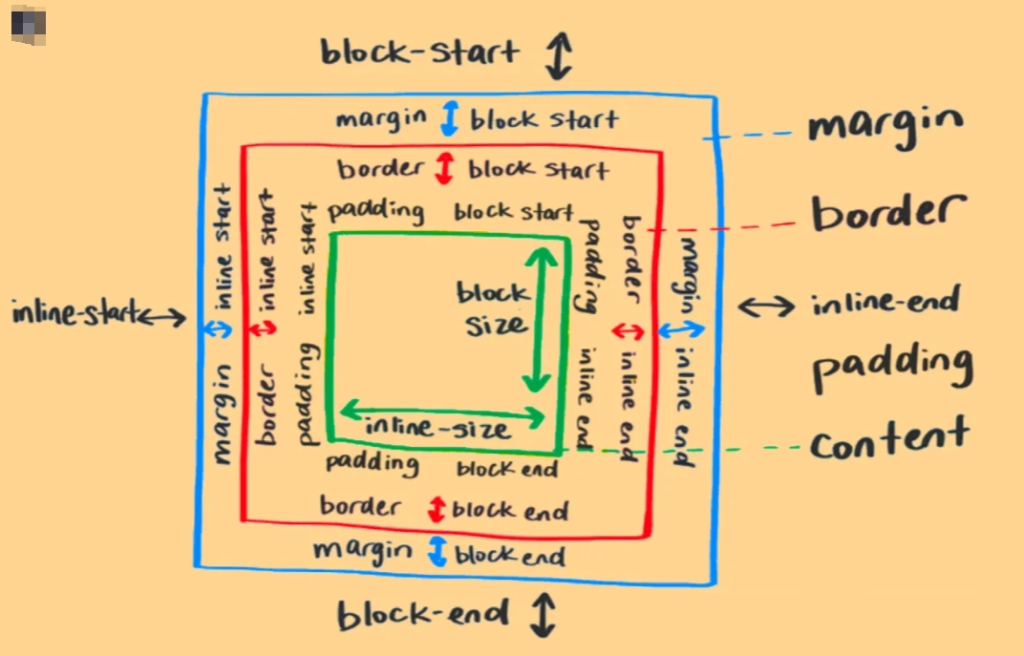
| margin | margin-top: 10px; margin: 0 auto; | Margins. See the box model below. As well as “Shorthand for paddings and margins”.外边距 如下图所示 |
| padding | padding: 10px; padding-left: 5px; | Paddings. See the box model below. As well as “Shorthand for paddings and margins”.内边距 如下图所示 |
| border | 1px solid black 2px dotted red | A shorthand for three values: 1. border thickness (pixels), 2. border style (solid, dotted, dashed…), 3. border color 边框:一般有三个数值 1.边框厚度 2.边框样式 3.边框颜色 |