This is a concept you must understand really well when working on an existing theme as you will be doing in Shopify.
在我们修改原Shopify主题的时候,我们需要明确理解下面的概念:
As I explained in chapters 2 and 3, the best way to modify your theme is to avoid changing the themes own CSS.
就像我在第二章和第三章里说过的一样,我们修改主题的时候要尽量避免对原主题的CSS进行改动。
Instead you want to keep your CSS separate, and override the themes style rules with your own, thanks to cascading and specificity.
但是如果我们想用自己的CSS去覆盖原主题的CSS怎么办?幸好有CSS层叠和优先级的特性。
What is cascading?
什么是层叠?
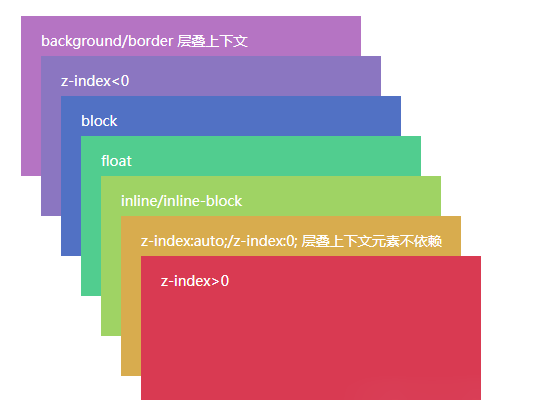
CSS stands for Cascading Style Sheets. This refers to the order in which styles are applied and what takes priority.
CSS是Cascading Style Sheets的简写。这指的是哪种样式按照什么顺序优先进行展示。
- Styles written lower in the document are going to override styles written above.
1.写在下面的样式会覆盖写在上面的样式。
Here the heading will be green:
下面标题的颜色会是绿色:
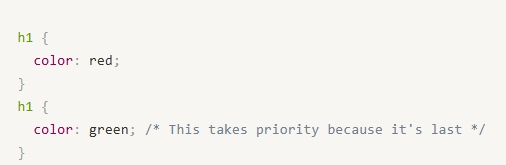
Red is being overriden with Green. 绿色将会覆盖红色。
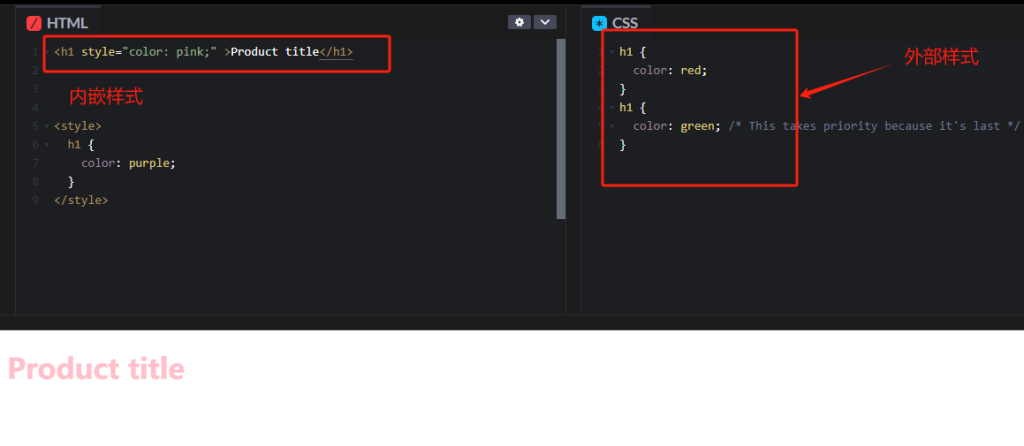
2.Embedded styles in <style> tags will override styles from an external stylesheet.
内嵌样式写在<style>标签里的样式会覆盖外部CSS

从上图我们可以看到,内嵌样式规定标题的颜色是粉红色,外部样式表规定标题是红色和绿色(根据第一条的规定,绿色会优先展示),但是我们看到最终标题展示的是粉红色。
3.Styles that are inline will override embedded styles.
行内样式优先级高于内嵌样式并覆盖内嵌样式(看上图左上角方框里的样式就是行内样式)
Here the heading will be pink. Even though we are still applying the above red and green in our CSS. The inline takes priority.
下面的行内样式要求标题展示为粉色。尽管我们上面有很多样式,但是最终行内样式占据了优先级。
What is specificity?
什么是CSS特异性
You can use different selectors to target elements more broadly or more directly.
我们可以使用不同的选择器来更直接或者更广泛的给某个元素定位。
This affects which style takes priority.
这将影响哪个样式会获取优先级。
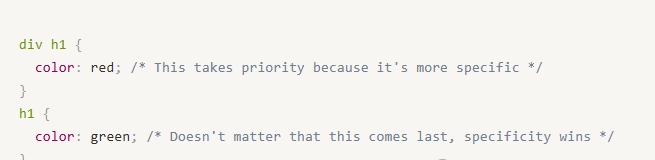
Green will not overpower red in this case:
在下面的案例中绿色不会覆盖红色展示,因为红色这个css定位更加细分具体。
Why this matters in Shopify
为什么这些在shopify里面非常重要呢?
Your styles will take priority because:
我们自己写的CSS要比原主题的CSS更有优先级因为:
1.Your styles will come after the themes CSS if:
1.下列情况下我们的样式会在原主题CSS之后展示:
-
-
- You put your styles at the bottom of your themes CSS files
-
我们把自己的样式表放在原主题的CSS文件底部
b.You include your custom.css stylesheet below the themes CSS in theme.liquid
我们把自己的custom.css放在theme.liquid css下方
c.You are using embedded styles in a <style> tag. Which is what happens behind the scenes when you use the Custom CSS field in section settings.
我们使用内联样式把CSS写在<style> 标签之内。这种情况一般是我们在区块设置里面使用了自定义CSS。
2.You can increase the specificity of your selectors to override your themes CSS.
我们可以使用选择器增加CSS的特殊性来覆盖原主题的CSS。
There are many ways to increase specificity:
增加CSS特殊性的方式有很多:
- Add one or more parents of the element you are targeting. You can even just add the html
bodybefore your selector when you just want to increase specificity.
为目标元素增加一个或者多个父级层级。我们甚至可以在body标签之前增加更为具体的选择器来增加css特殊性。 - Use classes instead of generic elements.
使用类而不是通用元素 - Target the ID instead of the class.
定位ID而不是类 - Use embedded or inline styles
使用内联样式或者是行内样式 - Use
!importantas a last resort.
将 !important 作为最后的手段使用





